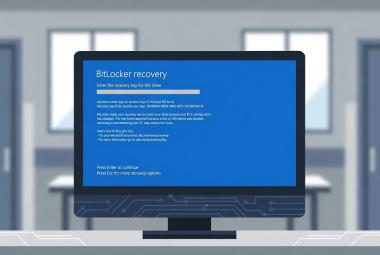



The Microsoft 365 Outage Was an Email Problem Until It Wasn’t: What Health Care IT Should Do Now, and After

This article reflects Microsoft's public status updates as of approximately 10:30 UTC (12:30 a.m. Central) on Friday, November 13, 2026. Recovery is still in progress, and details will change.
If your phones started ringing late Thursday morning with "Outlook won't open," you were not alone, and it was not your network. A global Microsoft 365 outage that began on Thursday, November 12 has left Exchange Online mailboxes unreachable for a large share of customers, and it has dragged a long list of other Microsoft 365 features down with it. As of this writing, Microsoft reports incremental improvement, but says service health is still variable and capacity has not returned to normal levels. There is no estimated time for full restoration.
For health care organizations, this is not just an inconvenience. Referrals, records requests, scanned documents, fax-to-email deliveries, vendor support tickets, and a surprising amount of day-to-day clinical coordination run through email. This article covers what happened, why an "email outage" broke things that do not look like email, what to do while recovery continues, and what to fix afterward so the next one hurts less.
What happened
Microsoft opened incident EX1550543 at 16:17 UTC on Thursday after users began losing access to Exchange Online mailboxes through Outlook on the web, Outlook desktop (MAPI), Exchange ActiveSync, and REST. The impact was first described as limited to the Americas and later expanded to users in any region. At 18:26 UTC, Microsoft opened a second incident, MO1550821, for the Microsoft 365 services that depend on Exchange Online (LazyAdmin timeline). A separate, already-resolved Teams incident (TM1550488) hit the Americas earlier that afternoon.
The user-reported numbers were large. Downdetector logged nearly 130,000 Outlook problem reports shortly after 1 p.m. Eastern on Thursday (ABC7), with reports coming from 74 countries and territories within about an hour (The National).
Microsoft's explanation has evolved over the course of the incident. Early updates pointed to elevated load, then clarified that overall traffic had not increased. Instead, a large number of servers began failing automated health checks and dropped out of service, which pushed their load onto the remaining servers (SecurityWeek). Thursday night, Microsoft said that "a process on the affected servers responsible for establishing secure connections becomes overwhelmed," which caused those servers to stop processing requests (ABC7). Microsoft paused deployments, tested an alternative health check method, began reverting a recent network configuration change that lined up with the start of impact, and scaled up virtual machines to absorb a traffic surge. Servers that came back overnight repeatedly became unresponsive again once they took traffic (LazyAdmin).
Microsoft has said there is no indication the outage is the result of malicious activity (SecurityWeek, CBS News). No root cause has been confirmed. That will come in Microsoft's post-incident report.
This is also not the first Exchange Online event of the year. A North American Microsoft 365 outage in January lasted nearly 10 hours (The Register), and an August 31 outage tied to a core authentication configuration hit Exchange Online and several dependent services (BleepingComputer).
Why an email outage broke Teams, Copilot, and your security tools
The part of this outage that confused a lot of people is how far it spread. Exchange Online is not just the mailbox. It is the back end for calendars, contacts, meeting scheduling, and a long list of features in other services that read or write mailbox data. Microsoft has said that features which interact with Exchange Online are impacted, while elements that do not depend on it largely remain functional (SecurityWeek).
In practice, that has looked like this:
- Teams chat and meetings mostly worked, but Teams calendars, meeting scheduling, and invites did not.
- Defender for Office 365 Safe Links may fail to verify URLs, so link clicks in Outlook and Teams can fail.
- Purview data loss prevention, auto-labeling, and classification may be impaired, and the Defender XDR and Purview portals may not load.
- Microsoft Graph calls for mail, calendar, and contacts can time out, which breaks any script or third-party integration that reads mailboxes.
- Windows 365 Cloud PCs that use Purview Customer Key may not connect.
- Copilot, Planner, To Do, Intune, Universal Print, and some admin center pages were also on the affected list.
That list comes from the MO1550821 advisory as summarized by LazyAdmin and PC Gamer. Microsoft has revised it during the incident, so check the "more info" section of MO1550821 in your own tenant for the current version.
One more wrinkle worth knowing: SecurityWeek reported that some Google Workspace users had trouble reaching their Google-hosted mail through Outlook desktop and mobile clients (SecurityWeek). If you have departments or affiliated clinics on a different mail platform but using Outlook as the client, do not assume they were insulated.
What this looks like in a health care organization
The most widely reported health care impacts so far have come from the United Kingdom, where the Friday business day started with the outage still unresolved. NHS sources described the disruption as widespread and serious, with staff unable to access email and some organizations asking patients to phone instead of emailing (The Guardian via AOL). Several GP practices and NHS trusts warned they could not respond to email, and some patients were told to expect prescription delays (ITV News). Evelina London, a children's health care provider, was among the trusts reported as unable to send or receive email (Macworld).
In the U.S., the outage landed in the middle of the business day. EX1550543 opened at 10:17 a.m. Central (11:17 a.m. Eastern), Downdetector reports peaked shortly after 1 p.m. Eastern, and impact continued through the afternoon and overnight. Most U.S. organizations lost reliable mailbox access for the bulk of Thursday, and Friday morning adds a second problem: a backlog of deferred mail, stalled workflows, and whatever staff improvised to get through Thursday. Think about where email quietly carries work in a small hospital or clinic:
- A shared referrals or scheduling mailbox that receives packets from outside providers.
- A cloud fax service that delivers inbound faxes as email attachments.
- Multifunction printers that scan to email.
- EHR, patient portal, or appointment reminder systems that send notifications through Exchange Online by SMTP relay or Graph.
- Lab, imaging, or vendor systems that send result notifications or alerts by email.
- Password reset, MFA enrollment, and vendor support workflows that assume someone can read a mailbox.
These are common patterns in smaller hospitals and clinics. Larger health systems may have more pathways that bypass email, such as Direct messaging, vendor portals, or EHR-native messaging, but the underlying risk is the same: workflows that quietly depend on Exchange Online. Each of those workflows stalled when the mailboxes did, and some of them may not recover cleanly on their own.
Outage Triage: First 30 Minutes
- Tell staff it is a Microsoft-side outage. No profile rebuilds, reinstalls, or password resets.
- Tell users not to resend. Outbound mail is queued, and Microsoft extended its retry window to 48 hours for this event.
- Publish the approved fallback channels (phone, fax, EHR messaging) and state plainly that personal email and texting PHI are not allowed.
- Call key referral partners and labs. Ask them to phone or fax anything time-sensitive until mail is confirmed flowing.
- Check outbound queues and logs for EHR notifications, patient portal, fax service, and scan-to-email devices.
- Warn staff about outage-themed phishing and failed link clicks.
- Start an impact log: times, affected users, affected workflows, actions taken. Incident IDs: EX1550543, MO1550821.
What to do right now
Do not troubleshoot the clients. This is a server-side problem. Rebuilding Outlook profiles, reinstalling Office, or resetting passwords will not fix anything, will burn help desk time you do not have, and can create new problems once service returns. Microsoft has said users may see a gradual recovery as their clients reconnect on their own while capacity comes back (ABC News Australia). Tell staff that plainly and early.
Tell users not to resend. Mail sent from your tenant during the outage is queued, not lost. Exchange Online normally retries a deferred message for 24 hours before returning a non-delivery report (Office 365 for IT Pros). Microsoft has extended that window to 48 hours for this event so delayed messages keep attempting delivery instead of bouncing (CNBC). Resending just creates duplicates later.
Assume inbound mail from outside partners is at risk. The 48-hour extension covers Microsoft's own queues. Mail coming to you from a reference lab, a referring hospital, or a payer is governed by the sending server's retry policy, and those vary. Email delivery firm SparkPost reported that three out of four of its delivery attempts to Microsoft were being deferred Friday morning (ITdaily). If a partner's server gives up before yours recovers, the sender gets a bounce and you never see the message. For anything time-sensitive, call your key referral partners and ask them to phone or fax until you confirm mail is flowing.
Give staff an approved alternative before they invent one. This is the health care-specific risk that matters most today. When the shared mailbox is down and a referral needs to go out, someone will be tempted to forward it from a personal email account or text a photo of it. That puts protected health information in a system your organization has no business associate agreement with. Your privacy officer then has to work through whether it was an impermissible disclosure, and if it was, 45 CFR 164.402 presumes a breach unless a documented risk assessment shows a low probability that the information was compromised. Prevent that by telling staff what to use instead: the phone, fax, your EHR's internal messaging (which in most environments has no dependency on Exchange Online), or Direct secure messaging if your EHR vendor provides it through its own HISP. Confirm those paths actually work in your environment before you announce them.
Check the systems that send mail on your behalf. If applications relay through an on-premises Exchange server, check its queues. Exchange Server's default message expiration timeout is two days (Microsoft Learn), so queued messages there should survive a long outage, but it is worth confirming nothing is stuck in a retry or poison state:
Get-Queue -Filter "MessageCount -gt 0"
Applications that submit directly to Exchange Online are a different story. Some will queue and retry. Some will log one failure and drop the message. Look at the outbound logs for your EHR notification engine, patient portal, fax service, and scan-to-email devices, and make a list of anything that will need to be resent once service is stable.
Watch the security gaps. With Safe Links verification failing, users may see link clicks fail. Do not let them work around it by copying URLs into a browser. If Defender XDR or Purview is your primary security console and it will not load, you have a visibility gap for the duration. Expect outage-themed phishing ("re-verify your mailbox," "your messages are on hold") over the next several days, and send a short warning to staff now.
Use the official channels only. Follow EX1550543 and MO1550821 under Health > Service health in the Microsoft 365 admin center. If the admin center will not load, Microsoft posts the same updates at status.cloud.microsoft and on @MSFT365Status.
Start writing things down. Record when impact started and stopped for your users, how many users were affected, which workflows were disrupted, and what you did about it. You will need it twice: once for the SLA claim, and once for your contingency planning documentation.
After service returns
Expect a messy recovery. When queues drain, mail may arrive late, out of order, or occasionally duplicated, and calendars may take time to sync. For the mailboxes that matter most (referrals, scheduling, records), confirm that critical messages actually landed. Message trace in Exchange Online now runs through Get-MessageTraceV2, which replaced the older Get-MessageTrace cmdlet and requires version 3.7.0 or later of the Exchange Online PowerShell module (Microsoft Learn, Office 365 for IT Pros). A quick check for anything that did not reach a shared referrals mailbox:
# Requires ExchangeOnlineManagement 3.7.0 or later
Connect-ExchangeOnline

$Mailbox = "referrals@yourorganization.org"
$EndDate = (Get-Date).ToUniversalTime()
$StartDate = $EndDate.AddDays(-2)

$Results = Get-MessageTraceV2 -RecipientAddress $Mailbox -StartDate $StartDate -EndDate $EndDate -ResultSize 5000

foreach ($Message in $Results) {
    if ($Message.Status -ne "Delivered") {
        Write-Output "$($Message.Received) | $($Message.SenderAddress) | $($Message.Status) | $($Message.Subject)"
    }
}
Keep in mind that subject lines in a health care mailbox can contain PHI, so treat that output accordingly.
Revisit DLP-dependent controls. If you rely on Purview DLP policies to catch or encrypt outbound PHI, review Microsoft's final description of the impact window once the incident closes. If DLP was impaired while users were sending mail, decide whether outbound messages from that window need a closer look.
File the SLA claim. Microsoft's Online Services SLA commits to 99.9 percent monthly uptime for Exchange Online, with service credits of 25 percent below 99.9 percent, 50 percent below 99 percent, and 100 percent below 95 percent. The credit is not automatic. You open a service request in the Microsoft 365 admin center with the incident IDs, start and end times for your users, the number and location of affected users, and what you did to try to resolve it. Uptime is calculated in user-minutes, so partial impact counts for less, and for suites such as Microsoft 365 E3 or Business Premium the credit applies to the portion of the price attributed to the affected service rather than the full license (LazyAdmin). Microsoft must receive claims by the end of the calendar month following the month of the incident (Pax8), which for this outage means December 31, 2026. If you buy licenses through a Cloud Solution Provider, the claim goes through your partner, so ask them how they are handling it.
A credit will not cover what this cost you in staff time, delayed referrals, or patient frustration. File it anyway. It is money you are owed, and the claim record is useful documentation.
The bigger lesson: plan for the outage you cannot fix
Our view is that the takeaway here is not "leave Microsoft 365." For a 25-bed Critical Access Hospital or a small clinic, running a second mail platform in parallel is not realistic, and every alternative has outages of its own. The takeaway is that when your communication platform fails, you need a plan that does not depend on that platform.
That is not just good practice. The HIPAA Security Rule's contingency plan standard at 45 CFR 164.308(a)(7)(i) specifically lists "system failure" among the occurrences organizations must plan for. A few of its pieces map directly onto what happened this week:
- Emergency mode operation plan (164.308(a)(7)(ii)(C), Required) calls for procedures that keep the critical business processes protecting ePHI security running while the organization operates in emergency mode. "Use the phone, fax, or EHR messaging, never personal email" is exactly that kind of procedure, and it works much better written down in advance than improvised in a hallway.
- Applications and data criticality analysis (164.308(a)(7)(ii)(E), Addressable) is where the dependency map belongs. Which clinical and business workflows quietly depend on Exchange Online? This outage just handed you most of the list.
- Testing and revision procedures (164.308(a)(7)(ii)(D), Addressable) call for periodic testing and revision of contingency plans. An unplanned, real-world test is still a test. Document what worked, what did not, and what you changed.
- Emergency access procedure (164.312(a)(2)(ii), Required) covers obtaining necessary ePHI during an emergency. If referral packets and faxed records live only as mailbox attachments, the honest answer for many small organizations is that they could not get to that information this week. That is a finding worth documenting and addressing.
All of this should also show up in your risk analysis. The Required risk analysis at 164.308(a)(1)(ii)(A) covers availability, not just confidentiality, and a multi-hour outage of your primary cloud communication platform is a realistic, now-demonstrated risk.
A note on those Addressable designations: Addressable does not mean optional. It means the organization must implement the specification, or document why it is not reasonable and appropriate and implement an equivalent alternative where one is. HHS has also proposed changes to the Security Rule (Federal Register, January 6, 2025) that would remove the Addressable category and make these specifications Required. That proposal has not been finalized as of this writing.
Hospitals and CAHs have a second reason to care. The CMS emergency preparedness Conditions of Participation require a communication plan that includes primary and alternate means of communicating with staff (42 CFR 485.625(c) for CAHs, 42 CFR 482.15(c) for hospitals). If your alternate means is Teams or email, this week showed that it is not really an alternate. A printed contact sheet, a phone tree, or an SMS notification tool that does not run on your Microsoft tenant is cheap insurance, and your emergency preparedness coordinator will likely be glad to hear from IT about it.
None of this requires an enterprise budget. It requires a list of email-dependent workflows, a one-page downtime procedure for each one that matters, an out-of-band way to reach staff, and a tabletop exercise once a year where someone says "email is down until tomorrow" and everyone walks through what happens next. Most organizations will find their gaps in the first ten minutes.
This article is for informational purposes only and does not constitute legal or compliance advice. Covered entities and business associates should consult qualified legal counsel or compliance professionals before making decisions pertaining to HIPAA or IT infrastructure.
Sources
- Microsoft 365 Status, status.cloud.microsoft and @MSFT365Status on X, incidents EX1550543, MO1550821, and TM1550488
- SecurityWeek, Microsoft 365 Outage Disrupts Outlook, Exchange Online and Teams
- ABC7 San Francisco, Microsoft outage live updates
- LazyAdmin, Microsoft 365 Outage: Current Status and SLA Credits
- ABC News Australia, Live: Microsoft outage hits users worldwide
- CNBC, Widespread Microsoft outage takes down Outlook and other 365 services
- CBS News, Microsoft battling major worldwide outage
- The National, Outlook email outage: Microsoft working to resolve problem
- PC Gamer, Microsoft says there is 'no evidence of malicious activity'
- ITdaily, Microsoft 365 still offline: Outlook and Teams disrupted
- ITV News, Police, schools and GP practices impacted by widespread Microsoft outage
- The Guardian via AOL, Microsoft outage hits hospitals, GPs, schools and police across UK
- Macworld, Live: Microsoft 365 outage continues
- The Register, Microsoft 365 outage drags on for nearly 10 hours
- BleepingComputer, Microsoft Exchange Online outage causes email failures, auth issues
- Office 365 for IT Pros, How to Customize the Exchange Online Message Expiration Timeout Interval
- Office 365 for IT Pros, Exchange Online Upgrades Its Message Tracing Capabilities
- Microsoft Learn, Get-MessageTrace
- Microsoft Learn, TransportServer.MessageExpirationTimeout Property
- Pax8, Microsoft SLA claim requirements for partners
- eCFR, 45 CFR 164.308, 45 CFR 164.312, 45 CFR 164.402
- eCFR, 42 CFR 485.625
- Federal Register, HIPAA Security Rule To Strengthen the Cybersecurity of Electronic Protected Health Information (proposed rule)