


Microsoft's April Patches Broke Domain Controllers - The Emergency Fixes Are Out

Microsoft released out-of-band (OOB) updates on April 19, 2026 to address two regressions introduced by the April 14 Patch Tuesday security updates. Some domain controllers entered reboot loops after the April cumulative update. A subset of Windows Server 2025 systems failed to install the update entirely. A separate BitLocker recovery prompt issue also surfaced on certain Windows Server 2025 configurations.
If your April patching ring already touched servers, or if you have it queued for this weekend, this one matters. Here is what broke, who is actually affected, and what to do about it.
What Broke
The April 14 cumulative update (KB5082063 on Windows Server 2025, with version-specific KBs for older releases) introduced three distinct issues.
Domain controller reboot loops. After installing the April update and rebooting, domain controllers in multi-domain forests using Privileged Access Management (PAM) could experience Local Security Authority Subsystem Service (LSASS) crashes during startup. Early reporting from Microsoft's release health dashboard identified non-Global Catalog (non-GC) DCs as the specific trigger. Because LSASS handles authentication and security policy, a crash during startup puts the server in a reboot loop. It comes up, LSASS fails, the server restarts, and the cycle repeats. With no LSASS, the DC cannot authenticate anyone or anything. If enough of your DCs are affected, authentication across the domain goes with them.
Microsoft also noted this issue could surface when promoting new DCs or on existing DCs if authentication requests arrive very early in the boot sequence. That second case is worth flagging, because it widens the risk beyond just servers with PAM actively configured.
Installation failures on Windows Server 2025. A small number of Windows Server 2025 systems failed to install KB5082063 at all, displaying one of two errors: "Install error: 0x800F0983" or "Some update files are missing or have problems. We'll try to download the update again later. Error code: 0x80073712." Servers that hit this failure stay on the pre-April security baseline, unpatched, and remain exposed to whatever the April update was meant to close.
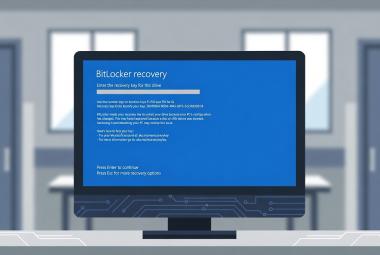
BitLocker recovery prompts on Windows Server 2025. A separate known issue causes some Windows Server 2025 systems to boot into BitLocker recovery on the first restart after the update. This is limited to systems where a specific, non-recommended GPO configuration is in place. Per Microsoft, all of the following must be true: BitLocker is enabled on the OS drive; the Group Policy "Configure TPM platform validation profile for native UEFI firmware configurations" is configured with PCR7 included in the validation profile (or the equivalent registry key is set manually); msinfo32.exe reports Secure Boot State PCR7 Binding as "Not Possible"; the Windows UEFI CA 2023 certificate is present in the Secure Boot Signature Database; and the device is not already running the 2023-signed Windows Boot Manager.
That is a narrow intersection, but it happens. The prompt is one-time - once the recovery key is entered and the system starts, subsequent reboots will not retrigger it as long as the GPO stays the same. Still, losing physical or remote-console access to a server at the recovery prompt in the middle of the night is not how anyone wants to spend a shift.
Who Is Actually Affected
Be honest about scope. Not every health care organization runs Privileged Access Management with bastion forests and shadow principals. PAM is a Microsoft Identity Manager feature more commonly deployed in larger health systems and organizations with mature identity teams. A solo IT administrator at a 25-bed Critical Access Hospital probably does not have PAM running in a multi-domain forest, and is unlikely to see the DC reboot loop for that reason alone.
The installation failure and BitLocker issues have broader reach. Any Windows Server 2025 system is potentially affected by the installation failure, and any Windows Server 2025 system with the specific GPO configuration described above could hit the BitLocker prompt. That includes file servers, application servers, EHR database servers, and anything else running the 2025 build.
The LSASS DC reboot loop issue affects domain controllers running Windows Server 2016, 2019, 2022, version 23H2, and 2025, but only when PAM is in use in a multi-domain forest. If you are a small or rural facility with a single-domain forest and no PAM deployment, your DCs are not in the blast radius for this specific issue. The other two issues are not as narrow.
The Fix
Microsoft released non-security cumulative OOB updates on April 19, 2026 to address the installation failure and DC reboot loop. The OOB package for Windows Server 2025 (KB5091157) also includes the quality fixes from the April 14 update, so it serves as the replacement path whether the April update installed cleanly or not. Hotpatch-enrolled Windows Server 2025 Azure Edition systems get KB5091470 instead, which can install without a restart if the April update went through successfully. Installing the OOB update on a hotpatch system does require a restart and pauses hotpatching until the July 2026 baseline.
The OOB KBs by Windows Server version:
| Windows Server Version | OOB Update (April 19, 2026) | OS Build |
|---|---|---|
| Windows Server 2025 | KB5091157 | 26100.32698 |
| Windows Server 2025 Datacenter: Azure Edition (Hotpatch) | KB5091470 | 26100.32704 |
| Windows Server, version 23H2 | KB5091571 | 25398.2276 |
| Windows Server 2022 | KB5091575 | 20348.5024 |
| Windows Server 2022 Datacenter: Azure Edition (Hotpatch) | KB5091576 | 20348.5029 |
| Windows Server 2019 | KB5091573 | 17763.8647 |
| Windows Server 2016 | KB5091572 | 14393.9062 |
Note: The Windows Server 2025 OOB update (KB5091157) fixes both the installation failure and the DC restart issue. OOB updates for other server versions only address the DC restart issue, because the installation failure was limited to Windows Server 2025.
The BitLocker recovery issue is not resolved by the OOB updates. Microsoft's guidance is to audit the BitLocker GPO and handle it before applying any further patching. A permanent fix is planned in a future update.
Importing the OOB Updates Into WSUS and Configuration Manager
Organizations running Windows Server Update Services (WSUS) or Microsoft Configuration Manager (ConfigMgr/SCCM) as their primary update delivery channel have an extra step before anything can deploy. Out-of-band updates are not part of the standard WSUS sync catalog. They have to be imported manually from the Microsoft Update Catalog before they will show up for approval or for an ADR to pick up.
Microsoft publishes a PowerShell script for this purpose, ImportUpdateToWSUS.ps1, documented on Microsoft Learn (linked in Sources below). Save the script somewhere practical - for example, C:\Temp\ImportUpdateToWSUS.ps1 - and run it with the -UpdateId value for each package you need.
For an SSL-enabled WSUS server:
C:\Temp\ImportUpdateToWSUS.ps1 -WsusServer WSUSSERVER01 -UseSsl -PortNumber 8531 -UpdateId '47e78b1f-9f97-4d14-a9e8-2446aaace651'
For a non-SSL WSUS server:
C:\Temp\ImportUpdateToWSUS.ps1 -WsusServer WSUSSERVER01 -PortNumber 8530 -UpdateId '47e78b1f-9f97-4d14-a9e8-2446aaace651'
The Update IDs below correspond to April 19, 2026 OOB packages published on the Microsoft Update Catalog, covering Windows Server 2019, Windows Server 2022, Windows Server, version 23H2, Windows Server, version 24H2, Windows Server 2025, and the Windows 10 LTSB equivalents. Verify each against the catalog before running, because individual KBs can have multiple package IDs for SSU/LCU components and different architectures:
47e78b1f-9f97-4d14-a9e8-2446aaace6516836706d-08f4-477d-93c5-1645672a770953cf6c09-62cb-460a-8a3e-647deac60e7125cd2c7a-2daf-4823-9062-de98e5c910e2566d6421-6e43-431b-be56-7d27d5679237028a2638-d4fd-4ca7-a0a2-13a573a681ec
After the imports complete, kick off a software updates sync from the Configuration Manager console (or from WSUS directly if you are not using ConfigMgr). Watch wsyncmgr.log on the Configuration Manager site server for sync completion. Once it lands, the imported updates are available to your Automatic Deployment Rules (ADRs) or to a manually built deployment package, depending on your workflow.
One practical reminder for organizations running ConfigMgr: the OOB updates do not have classifications or products that a default ADR will automatically pick up without adjustment. Either extend an existing ADR's criteria to include the imported updates, or build a one-off deployment package for this cycle. Do not assume your normal ADR will grab them just because they are in the catalog.
What To Do Now
Start by confirming what you are actually dealing with.
First, inventory domain controllers and check for PAM use. If you are running a single-domain forest and do not use Microsoft Identity Manager's PAM feature, the DC reboot loop is not your problem. You can stage the OOB update through your normal ring.
Second, audit BitLocker GPOs on any Windows Server 2025 systems. Microsoft's recommended workaround is to remove the PCR7 inclusion from the "Configure TPM platform validation profile for native UEFI firmware configurations" policy before patching. The sequence, per Microsoft:
- Set the policy to "Not Configured" in Group Policy.
- Run
gpupdate /forceon affected systems. - Suspend BitLocker:
manage-bde -protectors -disable C: - Resume BitLocker:
manage-bde -protectors -enable C:
This updates the BitLocker bindings to use the Windows-selected default PCR profile, which avoids the recovery prompt when the 2023 Boot Manager becomes default. A Known Issue Rollback (KIR) is also available by contacting Microsoft Support for Business, for environments that cannot remove the GPO before deploying.
Third, if you have already deployed the April update and you are seeing DC reboot loops, install the OOB package on affected systems. Microsoft's KB documentation covers the installation sequence for the combined SSU and LCU package, including DISM guidance for removal if that path is required. Before touching production DCs, validate on a non-production DC or a lab system.
The OOB updates are available through Windows Update for Business, Intune, and the Microsoft Update Catalog immediately. For WSUS and Configuration Manager environments, the manual import workflow above applies before deployment.
HIPAA and Availability
Domain controller outages are not abstract compliance events. HIPAA's 45 CFR 164.308(a)(7) requires covered entities and business associates to "Establish (and implement as needed) policies and procedures for responding to an emergency or other occurrence (for example, fire, vandalism, system failure, and natural disaster) that damages systems that contain electronic protected health information." The Required implementation specifications under that standard - data backup plan, disaster recovery plan, and emergency mode operation plan - exist precisely because system failures happen, and the availability of ePHI has to be preserved through them.
A Patch Tuesday update that takes down authentication is a system failure by any reasonable definition. If your documented contingency plan assumes clinicians can log into their EHR, and your DCs are in a reboot loop, that is the scenario the Rule is asking you to have thought through.
The "Testing and revision procedures" implementation specification at 164.308(a)(7)(ii)(D) is Addressable. This does not mean optional. It means the organization must either implement the specification or document why an equivalent alternative is in place. Testing patches against a non-production DC before production deployment is one of the most direct ways to operationalize that specification. It is not just IT hygiene - it is an auditable compliance control.
Longer-Term Lessons
The April cycle is the third consecutive year Microsoft's April Patch Tuesday has caused problems for domain controllers. That is worth internalizing. Assume the April cycle is higher-risk than a typical month, and stage your DCs accordingly.
Two practical things health care IT teams can do:
Maintain at least one DC per domain that lags the production patching ring by several days. If something breaks, you still have an authentication path that works while you sort it out. This matters more, not less, at smaller organizations with limited DC redundancy.
Audit BitLocker GPO settings - particularly any PCR7 validation configurations - before the next patching cycle. The GPO in question is explicitly described as "unrecommended" by Microsoft, and auditing it now takes a few minutes per server.
Patch Tuesday was never a set-it-and-forget-it process. For health care environments, it is closer to a weekly drill that just happens to run once a month.
This article is for informational purposes only and does not constitute legal or compliance advice. Covered entities and business associates should consult qualified legal counsel or compliance professionals before making decisions pertaining to HIPAA or IT infrastructure.
Sources
- Microsoft Support, "April 19, 2026 - KB5091157 (OS Build 26100.32698) Out-of-band": https://support.microsoft.com/en-us/topic/april-19-2026-kb5091157-os-build-26100-32698-out-of-band-13ab53cc-ccc8-4a00-89d2-823b58fa03ec
- Microsoft Support, "April 19, 2026 - KB5091575 (OS Build 20348.5024) Out-of-band": https://support.microsoft.com/en-us/topic/april-19-2026-kb5091575-os-build-20348-5024-out-of-band-4a5a784e-e50a-4358-8093-b1654aecdbd1
- Microsoft Learn, "Windows Server 2025 known issues and notifications": https://learn.microsoft.com/en-us/windows/release-health/status-windows-server-2025
- Microsoft Learn, "WSUS and the Microsoft Update Catalog Site (includes ImportUpdateToWSUS.ps1)": https://learn.microsoft.com/en-us/windows-server/administration/windows-server-update-services/manage/wsus-and-the-catalog-site#powershell-script-to-import-updates-into-wsus
- Microsoft Learn, "Privileged access management for Active Directory Domain Services": https://learn.microsoft.com/microsoft-identity-manager/pam/privileged-identity-management-for-active-directory-domain-services
- 45 CFR 164.308 (Administrative safeguards), eCFR: https://www.ecfr.gov/current/title-45/subtitle-A/subchapter-C/part-164/subpart-C/section-164.308