


KB5094126: Applying June's Critical Windows Patch Without Triggering a BitLocker Lockout
Microsoft's June 2026 Patch Tuesday is the largest on record, and the headline update for Windows 11, KB5094126, is one you cannot reasonably skip. It closes more than 200 vulnerabilities, including a publicly disclosed flaw that lets an attacker bypass BitLocker with physical access to a device. For any organization that leans on full-disk encryption to protect data on lost or stolen workstations, that is exactly the kind of hole you want patched fast.
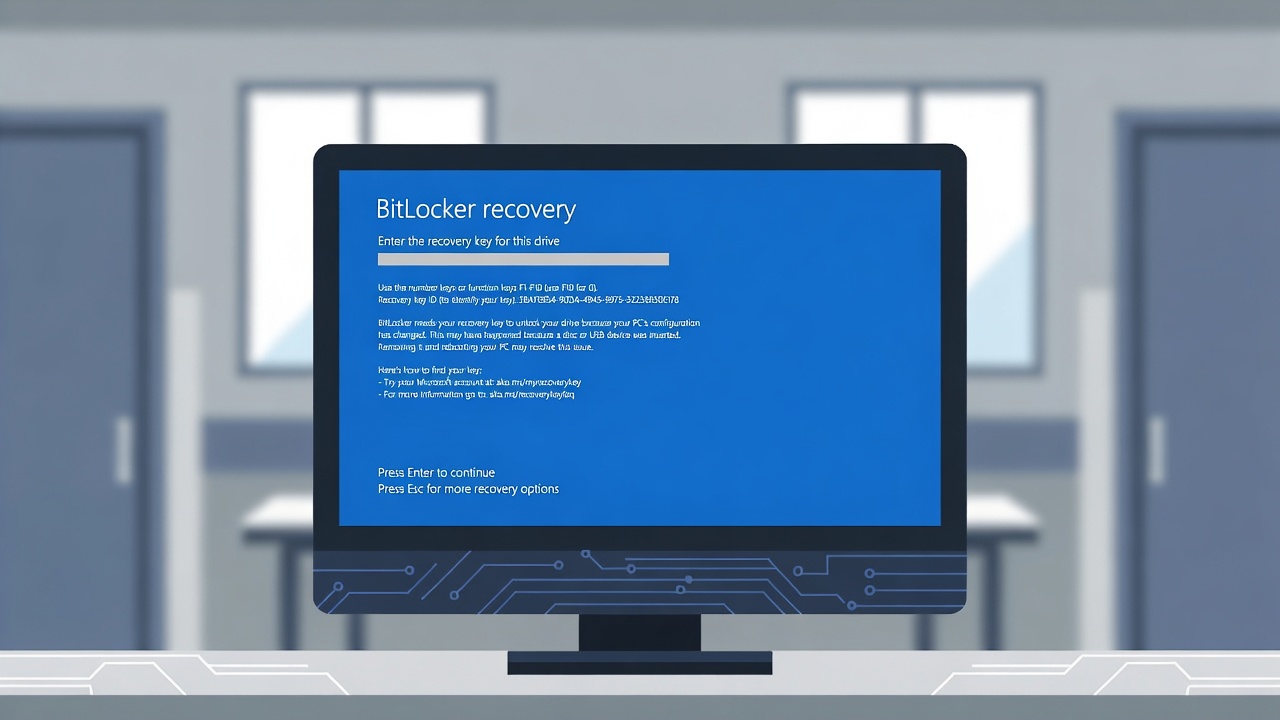
Here is the uncomfortable part. The same update is, by a growing number of field reports, throwing some machines into BitLocker recovery loops and outright boot failures. An update built to harden the boot chain appears, on certain hardware, to be breaking it. That tension is the whole story for health care IT, because a clinical workstation stuck on a recovery key prompt is not just an inconvenience. It is a care-access problem and, depending on what is on that device, an availability problem under the HIPAA Security Rule.
This article separates what Microsoft has actually confirmed from what is currently field-reported, explains why the stakes are higher in a clinical setting, and lays out a deployment approach that lets you take the security fix without gambling your fleet.
What the update does, and why skipping it is the wrong move
KB5094126 (OS Builds 26200.8655 for 25H2 and 26100.8655 for 24H2) shipped on June 9, 2026. Beyond the security content, it carries user-facing features including the Low Latency Profile, Shared Audio, multi-app camera support, and a wider rollout of new Secure Boot certificates. That certificate work matters here: the Secure Boot certificates issued back in 2011 begin expiring in June 2026, and Microsoft is using the monthly servicing train to push their replacements out to eligible devices in a phased, signal-gated rollout.
The security volume is hard to overstate. Depending on how third-party and already-serviced items are counted, reputable trackers put the June total between roughly 198 and 208 CVEs, making it the biggest single Patch Tuesday since the program began (Tenable, BleepingComputer). Roughly 32 are rated Critical, and there are three publicly disclosed zero-days by most counts, with some outlets reporting more.
The one that should pull this update to the top of your list is a Windows BitLocker security feature bypass, CVE-2026-50507, which Microsoft rates Important and lists as publicly disclosed with proof-of-concept code already circulating. A successful exploit lets someone with physical access to a device circumvent BitLocker Device Encryption and read the data at rest, which undermines the exact control most organizations treat as their last line of defense for a lost or stolen laptop. In other words, the update you might be tempted to defer because of the boot reports is also the one that fixes a real-world attack against the encryption you are relying on. Deferring indefinitely is not a safe answer. Deploying carelessly is not either.
Microsoft notes that TPM-only BitLocker configurations are the most exposed to this bypass and points to requiring a startup PIN as a mitigation. Be realistic about that one. Requiring a pre-boot PIN means a remotely rebooted machine sits at the PIN prompt instead of coming back up, which turns routine patch reboots into deskside visits and a steady stream of recovery-key calls to the help desk. For most managed health care fleets, the patch is the fix here, not a PIN mandate.
What is confirmed versus what is field-reported
This distinction is doing a lot of work, so it is worth being precise.
On the KB5094126 support page, Microsoft documents two known changes. The first is a deliberate security hardening change to how Windows processes desktop.ini files, which can cause custom folder icons or localized folder names to stop appearing. Files remain accessible; this is intended behavior, not a defect. The second is an acknowledged issue where Microsoft Office applications launched from within certain third-party programs through OLE automation may fail, with reported impact on software such as CCH Engagement, Workpaper Manager, the dental systems Dentrix and Softdent, and Zotero. That second one is worth flagging to your clinical and back-office application owners directly, since dental and practice-management integrations are common in smaller organizations.
What Microsoft has not added to the KB5094126 known-issues list, as of this writing, are the more serious reports: machines freezing within minutes of boot, devices dropping into BitLocker recovery, broken OneDrive integration in File Explorer, and lost LAN access while internet connectivity stays up. Microsoft's public page for this update still states the company is not currently aware of issues.
That said, the boot and BitLocker reports are not coming out of nowhere, and they are not purely speculative. Microsoft's broader Secure Boot certificate transition guidance has, for some time, acknowledged that the certificate rollout can produce BitLocker prompts, startup hangs, and devices failing to boot on higher-risk systems, particularly those with outdated firmware or failed certificate updates. So the accurate read is not "Microsoft denies a problem exists." It is that Microsoft has acknowledged the certificate transition carries boot and BitLocker risk in general, while not yet attributing the specific KB5094126 field reports to this update in its known-issues documentation.
The field reporting itself (Windows Latest, PCWorld, Cybersecurity News) clusters around a few patterns worth knowing:
The boot failures and blue screens (one commonly cited error is 0xc0430001) skew heavily toward HP business hardware, with the EliteBook 840 G10, ProBook 460 G11, and Engage One Pro 15.6 G2 AiO named repeatedly. The leading technical theory is that the new boot components and Secure Boot certificate data exhaust the EFI System Partition on machines that shipped with a roughly 100 MB ESP rather than the larger partition modern Windows servicing wants. This is a theory consistent with the symptoms, not a confirmed Microsoft root cause.
The BitLocker recovery reports include a particularly nasty variant: devices dropping to the recovery screen even where BitLocker or Device Encryption had been explicitly disabled, on corporate machines using local accounts. Because those machines were never linked to a Microsoft Account, no recovery key was automatically escrowed, which is what turns a recovery prompt into a genuine lockout. This is the detail that should change how you stage the rollout.
The OneDrive File Explorer breakage appears to be a separate issue entirely, reportedly tied to disabled User Account Control combined with local administrator rights on domain-joined PCs. Re-enabling UAC has resolved it for affected users. Do not lump it in with the Secure Boot or BitLocker behavior; it has a different cause and a different fix.
It is also worth keeping perspective. Many machines install this update without incident, and the reports, while serious for those affected, do not describe a universal failure. This is a "stage it and verify" situation, not a "block it forever" one.
Why a recovery prompt is a bigger deal in a clinical setting
In a lot of office environments, a BitLocker recovery prompt is a help-desk ticket. In health care, the same prompt can sit between a clinician and the chart, the scheduling system, or a device used at the point of care. Picture a 25-bed Critical Access Hospital where the shared workstation at registration drops into a recovery prompt during morning intake, the recovery key was only ever stored on that same machine, and the one person who covers IT is 40 minutes out. That is patient flow stalling at the front desk, not a quiet ticket in a queue. When the affected workstation also stores or caches electronic protected health information, the conversation shifts from convenience to compliance.
The HIPAA Security Rule's general requirements at 45 CFR 164.306(a)(1) obligate covered entities and business associates to ensure the confidentiality, integrity, and availability of all ePHI they create, receive, maintain, or transmit. Availability is named explicitly. A device that cannot boot, or that is locked behind a recovery key nobody escrowed, is an availability failure for whatever ePHI lives on it.
BitLocker itself maps to the Encryption and Decryption implementation specification at 45 CFR 164.312(a)(2)(iv), which is Addressable. Worth restating for the record: Addressable does not mean optional. Under 45 CFR 164.306(d)(3), you must assess whether the safeguard is reasonable and appropriate for your environment and then either implement it or document why it is not reasonable and appropriate and implement an equivalent alternative. Most organizations handling ePHI on portable or shared endpoints land on "implement it," which is why so many of you are running BitLocker in the first place.
The recovery-and-lockout side of this incident is better understood through the Contingency Plan standard at 45 CFR 164.308(a)(7). Its three Required implementation specifications, the Data Backup Plan, the Disaster Recovery Plan, and the Emergency Mode Operation Plan, are precisely what get tested when a patch knocks endpoints offline. If your answer to "a clinical workstation just bricked itself on a recovery prompt" is a shrug, that is a contingency gap, and a bad patch is a cheaper way to discover it than an actual disaster.
How to deploy KB5094126 without getting burned
The goal is to take the security fix while removing the conditions that turn a recovery prompt into a lockout. None of this requires an enterprise budget, and most of it is realistic for a 25-bed Critical Access Hospital with one or two IT staff or a clinic on a part-time contractor.
Escrow your BitLocker recovery keys before you patch anything. This is the single highest-value step, because a recovery prompt with an available key is a five-minute interruption, while the same prompt without one can mean a wipe and reinstall. In an Active Directory environment, enable storage of recovery information in AD DS through Group Policy under Computer Configuration, Administrative Templates, Windows Components, BitLocker Drive Encryption, and confirm keys are actually landing on the computer objects, not just that the policy is set. For Entra-joined devices, confirm escrow to Entra ID. For standalone or local-account machines, the kind most exposed in these reports, there is no automatic escrow, so export or print keys and store them where you can reach them when the device will not boot.
Suspend BitLocker across the update and its reboots on managed devices where you can. Suspending protection lets the boot measurements change during the certificate and boot-component update without tripping the TPM into a recovery state, then you resume protection afterward. This is standard practice for firmware and boot-path changes, and it directly addresses the recovery-loop pattern.
Confirm firmware and partition assumptions on your HP fleet specifically. Update UEFI and firmware to current before deploying, since the worst boot reports correlate with outdated firmware. If you have older HP business images with a roughly 100 MB EFI System Partition, treat those as your highest-risk group and pilot there before going wide. Community workarounds for the ESP space issue exist, including a registry change to the boot file servicing padding behavior, but those are unofficial, not Microsoft-documented, and should be tested in a lab, not pushed to production on the strength of a forum post.
Stage and pilot, even if your "ring" is three machines. Configuration Manager and Intune both support phased rollout, but the principle scales down: pick a small, representative set of hardware, push the update, and confirm a clean reboot before you release it broadly. NIST patch-management guidance has long recommended testing on a representative fleet first, and this update is a textbook reason why.
Keep a rollback path ready. For a machine you can still reach, removing the latest quality update through the Windows Recovery Environment (Troubleshoot, Uninstall Updates, Uninstall Latest Quality Update) is the documented fallback. Know the path before you need it.
Handle the OneDrive issue separately. If File Explorer's OneDrive integration goes blank on domain-joined PCs after the update, check for disabled UAC on local administrator accounts and re-enable it rather than chasing it as a boot or BitLocker problem.
Finally, document it. If you suspend BitLocker, stage the rollout, or recover any device, capture that in your contingency planning and feed any downtime into your risk analysis, which is itself a Required implementation specification at 45 CFR 164.308(a)(1)(ii)(A). A patch that forced an emergency recovery is exactly the kind of operational event the rule expects you to learn from.
One forward-looking note for compliance-minded readers: HHS has proposed changes to the Security Rule that would, among other things, eliminate the Addressable designation and make implementation specifications Required. That proposal is not finalized and its timeline remains uncertain, so treat it as direction of travel rather than current obligation. If it does land, the "we documented why we did not encrypt" path narrows considerably, which is one more reason to get recovery-key and contingency practices solid now.
The short version: this is a must-apply update sitting on top of a genuinely fragile boot-and-encryption transition. Escrow your keys, suspend BitLocker, pilot on your HP hardware, and keep a rollback ready, and you can take the security fix without handing yourself an availability incident.
Sources
- Microsoft Support, June 9, 2026 - KB5094126 (OS Builds 26200.8655 and 26100.8655)
- Microsoft Security Response Center, CVE-2026-50507 - Windows BitLocker Security Feature Bypass Vulnerability
- Tenable, Microsoft's June 2026 Patch Tuesday Addresses 198 CVEs
- BleepingComputer, Microsoft June 2026 Patch Tuesday fixes 6 zero-days, 200 flaws
- Windows Latest, Windows 11 KB5094126 issues include boot failures, BitLocker recovery
- PCWorld, Windows 11 update causes chaos: PCs won't start or get stuck on the BitLocker screen
- Cybersecurity News, Windows 11 Update KB5094126 Freezes Systems, Forces BitLocker Recovery, and More
- eCFR, 45 CFR Part 164, Subpart C - Security Standards
- Escrow BitLocker recovery keys first. Confirm keys are landing in Active Directory (or Entra ID), not just that the policy is set. Export or print keys for standalone and local-account machines, which have no automatic escrow.
- Suspend BitLocker across the update and reboots on managed devices, then resume protection afterward.
- Update UEFI and firmware to current before deploying, especially on HP business hardware (EliteBook 840 G10, ProBook 460 G11, Engage One Pro 15.6 G2 AiO).
- Pilot on representative hardware and confirm a clean reboot before going wide. Treat older HP images with a ~100 MB EFI System Partition as your highest-risk group.
- Know your rollback path: Windows Recovery Environment, then Troubleshoot, Uninstall Updates, Uninstall Latest Quality Update.
- Document any suspension, staging, or recovery in your contingency plan and risk analysis.
This article is for informational purposes only and does not constitute legal or compliance advice. Covered entities and business associates should consult qualified legal counsel or compliance professionals before making decisions pertaining to HIPAA or IT infrastructure.