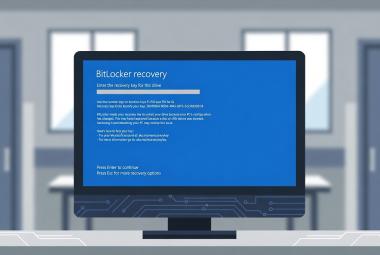



Microsoft Blocks July Windows 11 Update on Some Dell PCs Over Intel Driver Conflict - What Health Care IT Teams Should Do

Microsoft has placed a compatibility hold on its July 2026 cumulative update (KB5101650) for a limited set of Dell PCs, after an Intel driver conflict started causing unexpected shutdowns, poor performance, overheating, and battery drain. If your Dell fleet hasn't been offered the July update yet, this is very likely why.
Here is the short version: don't force the update onto affected Dell hardware, don't assume Windows Update is broken when a held device reports it's up to date, and don't skip the update everywhere else either. This one carries fixes for two zero-days that are already being exploited, and both of them land squarely in territory health care IT cares about.
Let's walk through what happened, why it matters for clinical environments specifically, and what to actually do about it.
What Broke
KB5101650 rolled out on July 14, 2026 as part of the July Patch Tuesday cycle for Windows 11 versions 24H2 and 25H2, moving supported systems to OS builds 26100.8875 and 26200.8875. On most machines it installs normally. On a subset of Dell PCs, it doesn't - and Microsoft is holding it back on purpose.
The root cause traces to an optional preview update from the prior month. On June 23, 2026, Microsoft shipped KB5095093, which introduced a new Windows USB-C Connection Manager interface as part of a broader effort to improve USB handling. On certain Dell systems, that new component doesn't get along with the Intel Innovation Platform Framework (IPF) Processor Participant driver, a system-level driver tied to Intel's power and thermal management.
Here is the part that makes this bigger than a preview-update problem: KB5101650 carries the same USB-C Connection Manager code. That means the conflict can now reach Dell machines that never touched the June preview. Dell reportedly caught the issue during its own testing and flagged it to Microsoft, which responded by holding the update back from affected systems rather than letting it roll out broadly.
On an affected device, the telltale sign is a yellow exclamation mark in Device Manager next to the Intel Innovation Platform Framework Processor Participant driver. From there, symptoms can include unexpected shutdowns, sluggish performance, excess heat, and faster battery drain.
Microsoft has documented the hold on its Windows Release Health dashboard and says a fix is expected in the coming days, developed together with Dell and Intel. As of this writing, Microsoft has not published a list of affected Dell models. That's a little unusual - the company has named specific hardware in past holds - and it makes device-level checking more important than usual, since you can't just cross-reference a model list.
Why This One Matters Beyond the Bug
It would be easy to file this under "another driver hiccup" and move on. Two things make it worth more attention in a health care environment.
First, the hardware. Dell is heavily represented in health care fleets - clinical workstations, mobile carts, exam-room PCs, administrative desktops. If a compatibility issue is going to touch a lot of health care endpoints, an IPF driver conflict on Dell systems is a strong candidate. And IPF is not a new driver. It has been around for years, so the affected pool is not limited to recently purchased machines.
Second, and more important, is what you'd be delaying if you blanket-paused the whole update out of caution. The July release addresses roughly 570 vulnerabilities, one of the largest single Patch Tuesday totals on record. Among them are three zero-days, two of which were already being exploited in attacks before patches existed. Those two exploited flaws are CVE-2026-56155 in Active Directory Federation Services and CVE-2026-56164 in SharePoint Server. The third, CVE-2026-50661, is a publicly disclosed but not-yet-exploited BitLocker bypass that could let someone with physical access read encrypted data - worth noting given how much health care hardware walks around on carts and in bags. CISA added the two exploited flaws to its Known Exploited Vulnerabilities Catalog, with a July 17 deadline for federal agencies to address the SharePoint issue and July 28 for the ADFS one.
If you run on-premises AD Federation Services or SharePoint - and plenty of health systems do - those aren't abstract risks. The point isn't to panic-patch. The point is that "we'll just hold the July update until things settle down" is the wrong instinct here. The hold is targeted. The vast majority of your systems should get this update, and get it soon.
The Compliance Angle
This is where the tension gets formal. You have a known operational risk on some devices and a set of known security vulnerabilities the update closes. Under the HIPAA Security Rule, weighing those against each other isn't optional - it's the job.
The Security Rule's risk analysis and risk management specifications, both Required, live at 45 CFR 164.308(a)(1)(ii)(A) and (B). Risk analysis calls for an accurate and thorough assessment of risks to the confidentiality, integrity, and availability of ePHI. Risk management calls for implementing measures sufficient to reduce those risks to a reasonable and appropriate level. A patch that closes actively exploited holes clearly speaks to confidentiality and integrity; a driver conflict that can shut a clinical workstation down mid-shift speaks to availability. Both belong in the same assessment. Document how you weighed them and what you decided.
If update-related outages do occur, contingency planning at 45 CFR 164.308(a)(7) is what carries you through. Its Required specifications include a data backup plan, a disaster recovery plan, and an emergency mode operation plan - the procedures that keep critical processes running while you sort out a bad rollout.
Whatever you decide and document here, keep it. The documentation requirements at 45 CFR 164.316(b)(2)(i) require you to retain Security Rule documentation for six years from the date it was created or last in effect, whichever is later. Your risk assessment of this patch, the rationale for how you handled the Dell hold, and any related contingency decisions all fall under that. A short, dated note in your change-management record now saves you reconstructing your reasoning from memory during an audit later.
One clarification worth making, since it comes up constantly. Some of the specifications around this - contingency plan testing and revision, for instance, or encryption under the technical safeguards - are marked Addressable rather than Required. Addressable does not mean optional. Under 45 CFR 164.306(d)(3), an Addressable specification means you assess whether it's a reasonable and appropriate safeguard in your environment, and then either implement it, or - if it isn't reasonable and appropriate - document why not and implement an equivalent alternative measure where reasonable and appropriate. "We skipped it" without that documented reasoning is not a defensible position.
It's also worth noting that HHS has proposed rule changes that would eliminate the Addressable designation entirely and make every specification Required. That proposal has not been finalized as of this writing, so the Required/Addressable distinction still holds - but it's worth watching if you're building compliance processes you intend to keep.
What To Actually Do
For most teams, this breaks into a quick triage and a slightly more deliberate deployment plan.
Check your Dell systems. On Dell machines, open Device Manager and look under System Devices for a yellow exclamation mark on the Intel Innovation Platform Framework Processor Participant driver. That's the fastest tell. You can confirm the installed IPF driver version through Dell Command Update or Dell SupportAssist, and check Windows Update history and Event Viewer for IPF-related errors. Since Microsoft hasn't published an affected-model list, device-level checking is your best signal.
Don't fight the hold. If Windows Update isn't offering KB5101650 on a given Dell PC, that's Microsoft's targeting doing its job. Repeatedly clicking "Check for updates" won't override it, and it shouldn't be read as a Windows Update failure. Just as important, resist the urge to manually pull KB5101650 from the Microsoft Update Catalog and force it onto a held device to hit a patch-compliance number. Forcing it past the compatibility check is exactly how you inherit the shutdown and thermal symptoms the hold is preventing.
Keep deploying everywhere else. This is the piece that's easy to get wrong. The hold is narrow. Non-Dell hardware and unaffected Dell systems should still receive this update, and given the two exploited zero-days, sooner is better. Use Windows Update for Business, Intune, or Configuration Manager (ConfigMgr/MECM) update rings to keep your broad deployment moving while you fence off the affected Dell subset. If you have specialized clinical hardware, a small pilot ring that mirrors production - including a representative clinical device or two - remains the right way to catch surprises before they hit the floor.
For already-affected devices. If a Dell machine took the June preview (KB5095093) and is showing symptoms now, uninstalling that preview update through Settings, Windows Update, Update history, Uninstall updates is the interim path Microsoft points to, while you wait for the coordinated fix and a Dell driver update addressing the IPF conflict. Watch Dell's driver support pages for that update.
Longer term, tighten driver control. For clinical endpoints, prioritize OEM (Dell) driver packages over generic Intel ones, keep BIOS and firmware current ahead of major OS updates, and consider standardized imaging with strict driver management so you're not chasing per-device mismatches. And fold this kind of update-versus-availability tradeoff into your annual risk analysis rather than treating each incident as a one-off.
The Broader Point
None of this is exotic. It's the same lesson that shows up every few Patch Tuesdays: updates in a clinical environment are never "set and forget," and the answer is neither "patch everything blindly" nor "hold everything until it feels safe." It's a tested pilot ring, a clear rollback path, honest documentation of the risk tradeoff, and enough monitoring to know which of your machines are actually affected.
The teams that handle this well aren't the ones with the biggest budgets. They're the ones who decided ahead of time how they'd weigh a security fix against an availability risk, and wrote it down before they needed it.
This article is for informational purposes only and does not constitute legal or compliance advice. Covered entities and business associates should consult qualified legal counsel or compliance professionals before making decisions pertaining to HIPAA or IT infrastructure.
Sources
- Microsoft, Windows Release Health dashboard - KB5101650 known issue (compatibility hold on Dell devices with Intel IPF drivers)
- BleepingComputer, "Microsoft July 2026 Patch Tuesday fixes massive 570 flaws, 3 zero-days" (July 14, 2026)
- PCWorld, "Microsoft's July update is blocked on some Dell PCs. Here's why"
- Windows Latest, "Dell PCs are shutting down after Windows 11's July update, Microsoft admits and blocks it"
- CISA Known Exploited Vulnerabilities Catalog - CVE-2026-56155, CVE-2026-56164
- 45 CFR Part 164, Subpart C (Security Rule), current as of the project's regulatory reference